

Generate generator to create a new repository on GitHub.



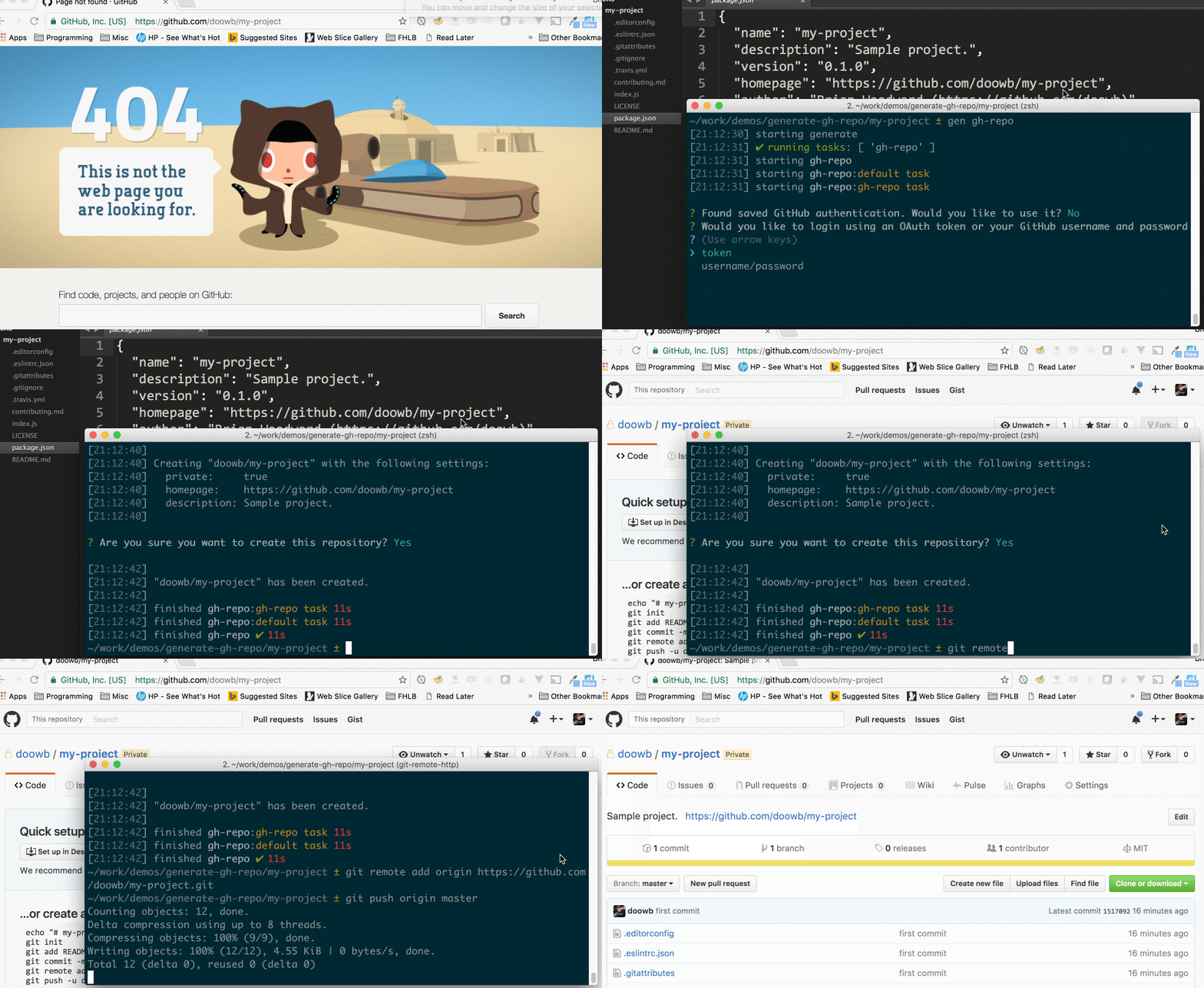
When installed globally, the gh-repo generator is available to use through the gen command:
Create a new GitHub repository using the default task.
$ gen gh-repo
Params
app {Object}: generate instance to add tasks to.Example
// use as a plugin with existing generate instance
// $ gen gh-repo
app.use(require('generate-gh-repo'));

// use as a subgenerator on an existing generate instance
// $ gen repo
app.register('repo', require('generate-gh-repo'));
Installing the CLI
To run the gh-repo generator from the command line, you'll need to install Generate globally first. You can do that now with the following command:
$ npm install --global generate
This adds the gen command to your system path, allowing it to be run from any directory.
Install generate-gh-repo
Install this module with the following command:
$ npm install --global generate-gh-repo
Run this generator's default task with the following command:
$ gen gh-repo
What you should see in the terminal
If completed successfully, you should see both starting and finished events in the terminal, like the following:
[00:44:21] starting ...
...
[00:44:22] finished ✔
If you do not see one or both of those events, please let us know about it.
To see a general help menu and available commands for Generate's CLI, run:
$ gen help
It's never too early to begin running unit tests. When you're ready to get started, the following command will ensure the project's dependencies are installed then run all of the unit tests:
$ npm install && test
If you're tests are passing and you're ready to publish your generator to npm, you can do that now with the following command:
Are you sure you're ready?!
Let's go!
$ npm publish
Generate is a command line tool and developer framework for scaffolding out new GitHub projects using generators and tasks.
Answers to prompts and the user's environment can be used to determine the templates, directories, files and contents to build. Support for gulp, base and assemble plugins, and much more.
For more information:
Are you using Generate in your project? Have you published a generator and want to share your project with the world?
Here are some suggestions!
@generatejs or use the #generatejs hashtaggenerate-gh-repogeneratejs tag in questions)generategenerator to package.json.Pull requests and stars are always welcome. For bugs and feature requests, please create an issue.
Please read the contributing guide for advice on opening issues, pull requests, and coding standards.
Running and reviewing unit tests is a great way to get familiarized with a library and its API. You can install dependencies and run tests with the following command:
$ npm install && npm test
Brian Woodward
Copyright © 2017, Brian Woodward. Released under the MIT License.
This file was generated by verb-generate-readme, v0.4.3, on April 07, 2017.