

A DS Touch Screen component plugin for Johnny-Five.
The DSTouch class constructs objects that represent a single Nintendo DS Touch screen component.
var touch = new DSTouch();

touch.on("change", function() {
  console.log(this.x, this.y);
});
| Property | Type | Value(s)/Description | Default | Required |
|---|---|---|---|---|
| address | number | Address for I2C device * | 0x04 | no |
// Example of explicitly specified address
var touch = new DSTouch({
  address: 0x04
});
* The address used by this "backpack" component is 0x04. This can be changed by modifying the value in the firmware.
| Property | Type | Value(s)/Description |
|---|---|---|
| x | number | The x coordinate of the present touch point. Will read 1023 if there is no touch point. |
| y | number | The y coordinate of the present touch point. Will read 1023 if there is no touch point. |
change Fired whenever the [x, y] coordinates of the pointer has changed.
data Fired as frequently as the hardware can be read.
down / pointerdown The pointer makes physical contact with the surface, but was previously not touching the surface (similar to the browser mousedown or pointerdown event).
move / pointermove The pointer is touching the surface and has changed coordinates since the last position was read (similar to the browser mousemove or pointermove event).
up / pointerup The pointer no longer has physical contact with surface, but was previously touching the surface (similar to the browser mouseup or pointerup event).
NOTE: The word pointer means either capacitive or resistive stylus, or finger.
Using the Arduino IDE, install the firmware to your AVR based microcontroller of choice.

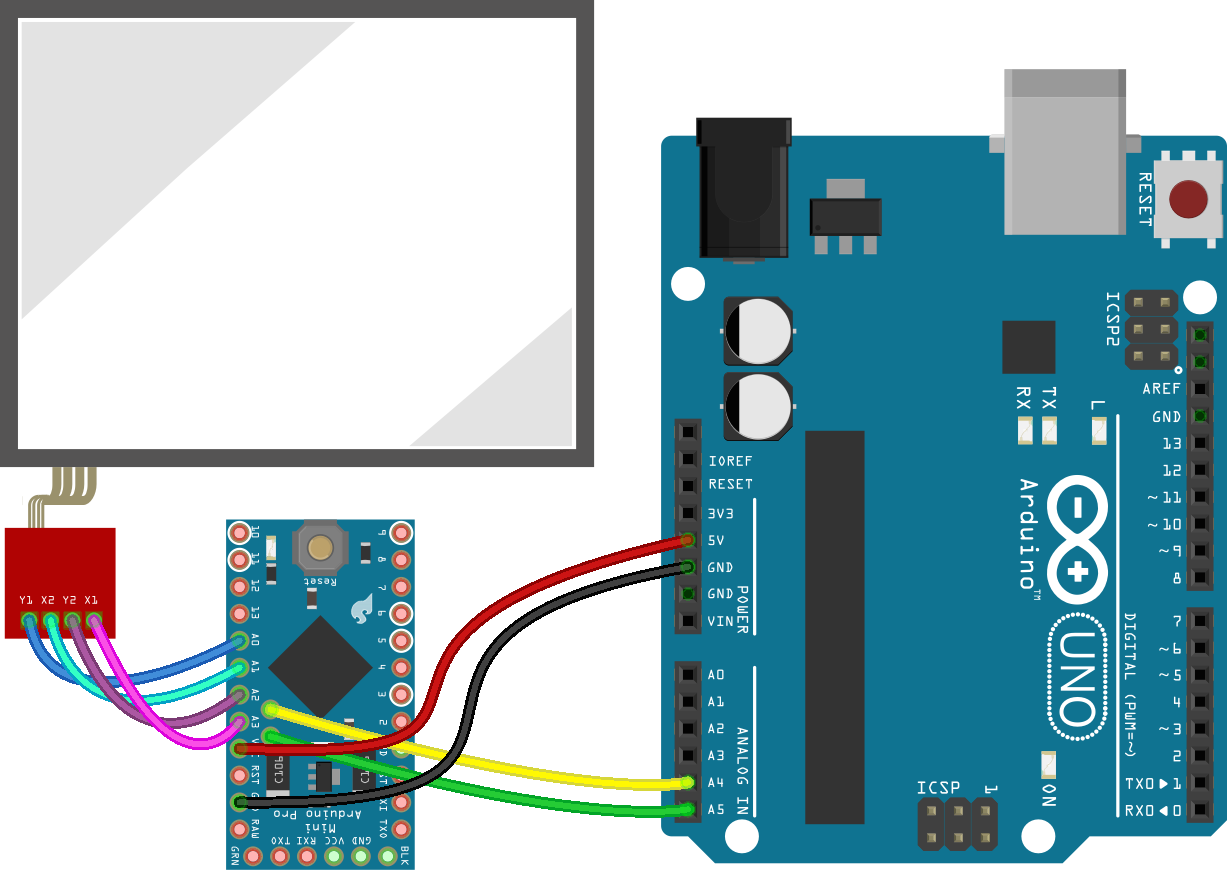
var five = require("johnny-five");
var DSTouch = require("j5-ds-touch")(five);
var board = new five.Board();

board.on("ready", function() {
  var touch = new DSTouch();

  touch.on("pointermove", function() {
    console.log({ x: this.x, y: this.y });
  });
});
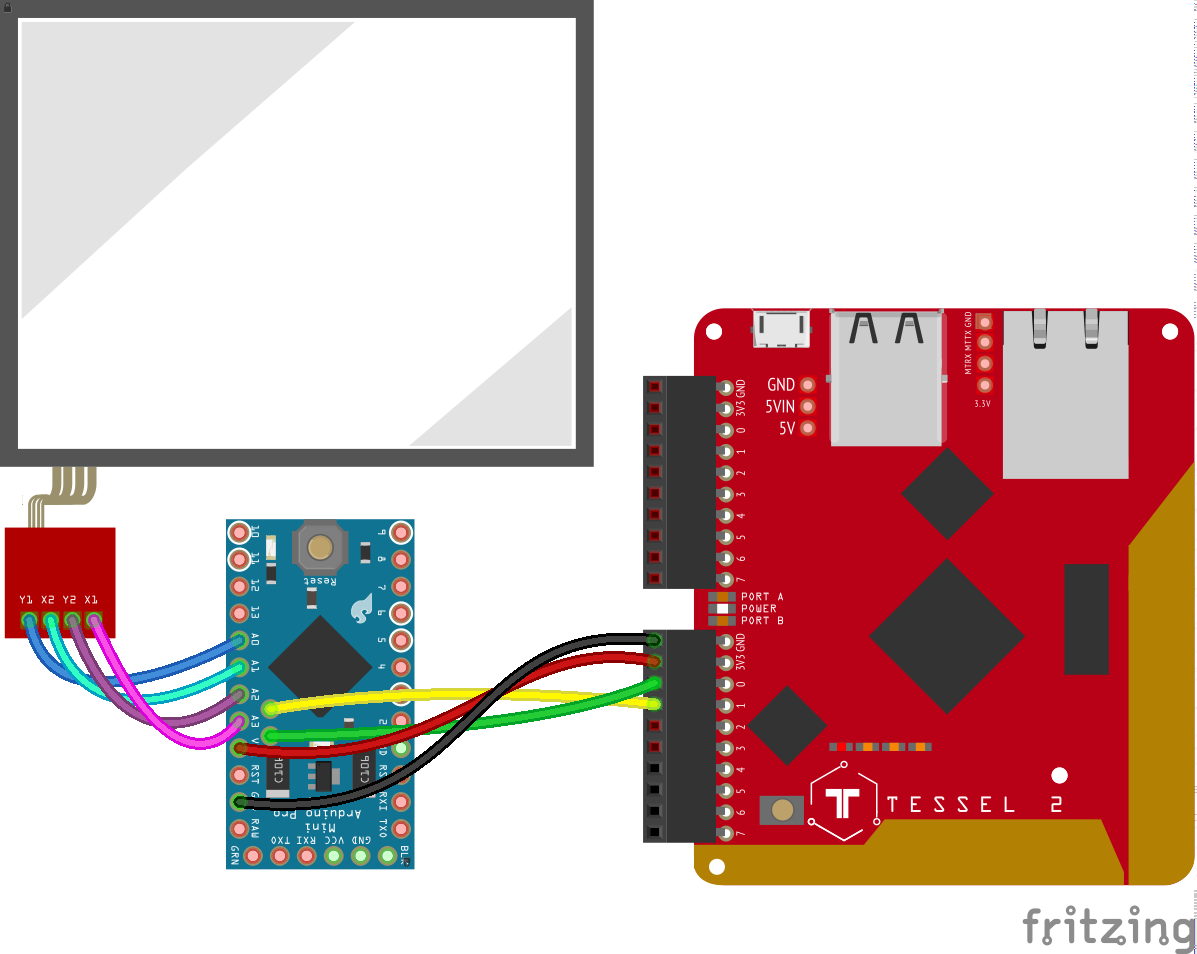
var five = require("johnny-five");
var DSTouch = require("j5-ds-touch")(five);
var Tessel = require("tessel-io");
var board = new five.Board({
  io: new Tessel()
});

board.on("ready", function() {
  var touch = new DSTouch();

  touch.on("pointermove", function() {
    console.log({ x: this.x, y: this.y });
  });
});
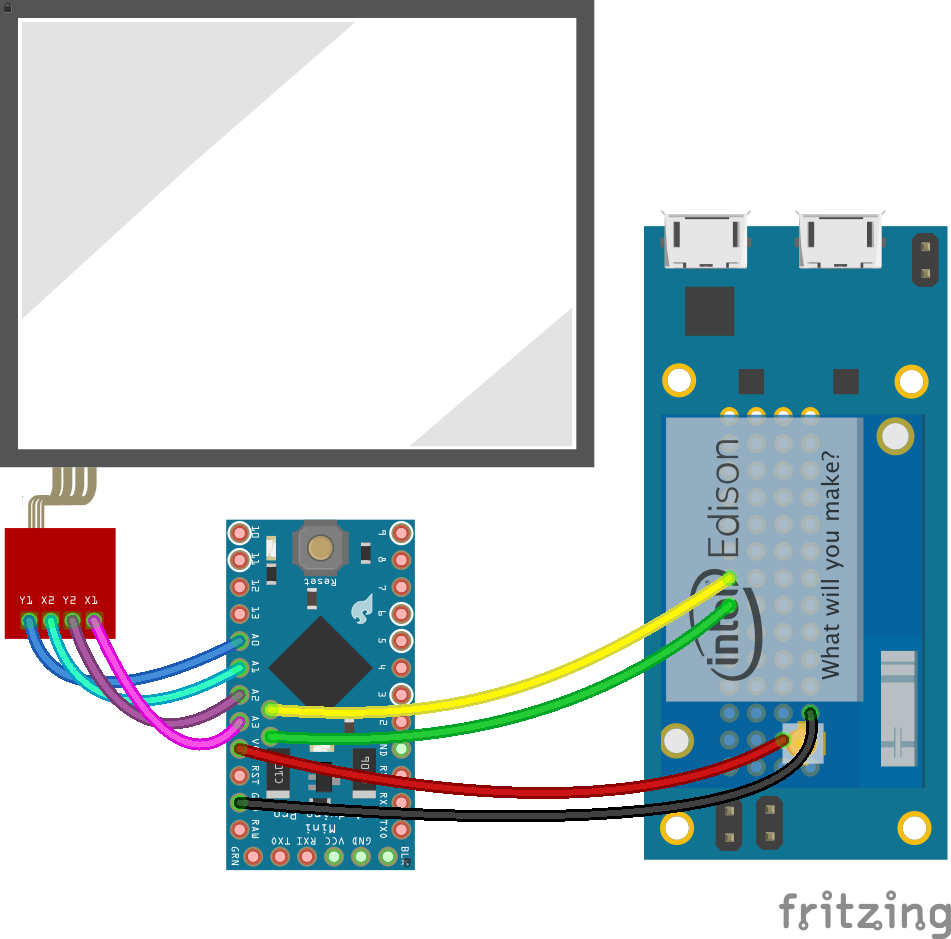
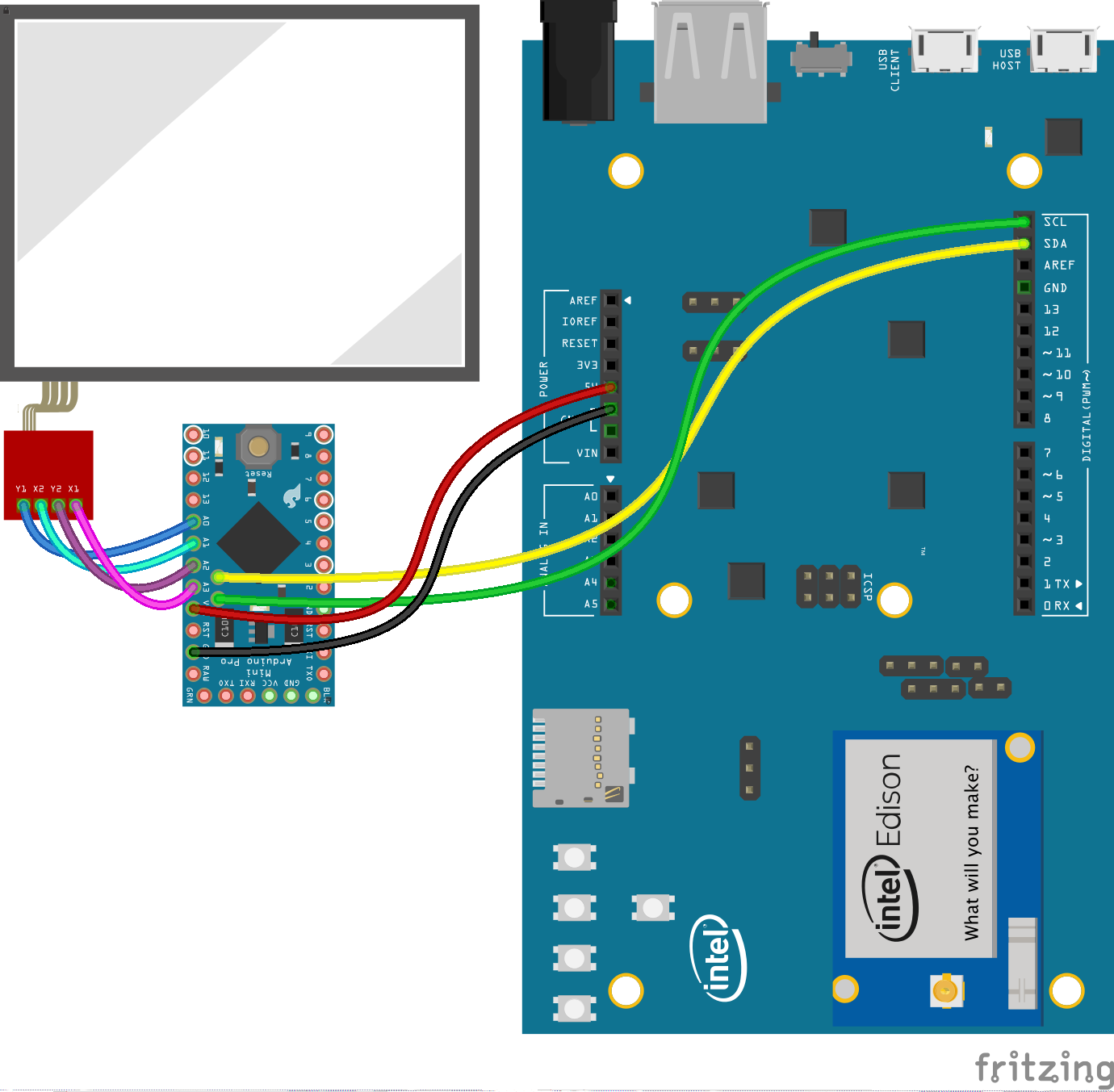
var five = require("johnny-five");
var DSTouch = require("j5-ds-touch")(five);
var Edison = require("edison-io");
var board = new five.Board({
  io: new Edison()
});

board.on("ready", function() {
  var touch = new DSTouch();

  touch.on("pointermove", function() {
    console.log({ x: this.x, y: this.y });
  });
});
This repo comes with a version of @evhan55's example Ploma app that has been modified to accept input from a socket instead of a Wacom tablet.

To Run:
node eg/server.js
The examples shown here are provided for illustration and do no specifically indicate platform support. This component class is expected to work with any platform that has I2C support.